eBay Listings, Pricing Data, Card Details, and Printable Labels
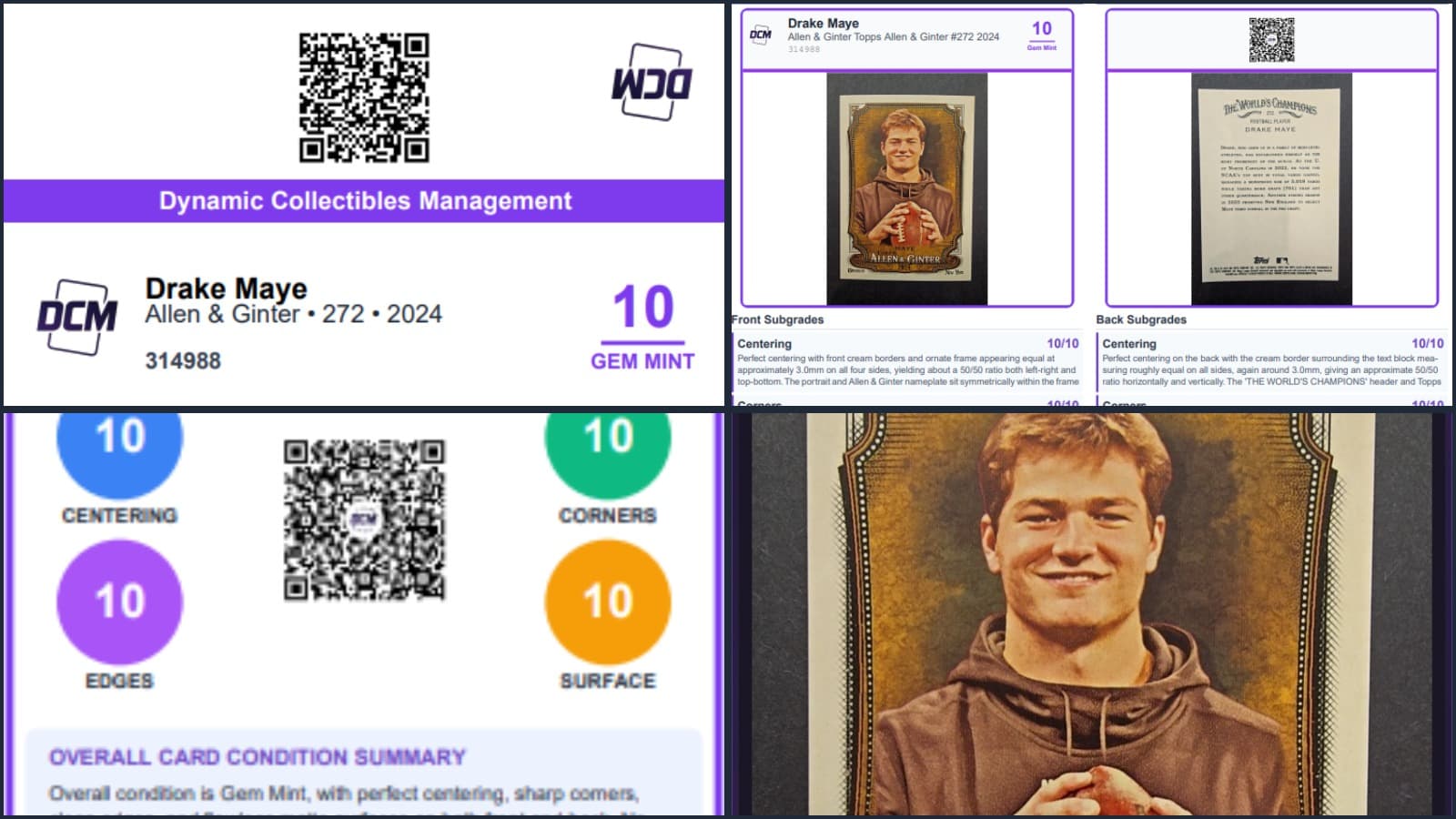
Labels, reports, graded card images, eBay sales listings and more
Everything you need to know about eBay listings, pricing data, card details, and printable labels
Quick answer
This guide answers the questions new DCM members ask most: how to list a graded card on eBay with Insta-List, what public and private mean for a card, why some cards show prices and others do not, why set details can be missing, and which label to print for a slab, one-touch or toploader.
We recently heard from a collector with a good set of questions about getting the most out of a DCM Grading account. If you have wondered about the same things, you are not alone, so we turned the answers into this guide.
How Do I Use DCM Grades to List Cards on eBay?
One of the most useful features of DCM is the eBay Insta-List button, found on every card details page just below the grading report.
Here is how it works:
- Connect your eBay account. You will be asked to sign in to eBay the first time. This is a one-time setup that links your eBay seller account to DCM.
- Click Insta-List. DCM pre-fills an eBay listing for your card, including:
- Images of the front and back with the graded label overlay
- A mini condition report with a QR code that links to the full card details page
- A written description covering the card's graded condition, subgrades and key details
- Choose your listing format. List as Buy It Now at a fixed price or as an auction with the duration you prefer.
- Review and publish. Adjust the title, price, shipping options and item specifics, then publish directly to eBay.
The whole process takes a couple of minutes and you never leave DCM. Any fees are standard eBay seller fees. DCM does not charge listing fees. We are providing a tool to help you sell graded cards with less effort.
What Does "Public" vs. "Private" Mean?
At the top of every card details page there is a toggle that switches the card between Public and Private.
- Public means anyone with the link or QR code can view the card's details page: the grade, subgrades, images and condition report. This is useful for sharing with potential buyers or on social media.
- Private means the card is visible only to you while you are logged in. Anyone else who follows the link will not see it.
Important: setting a card to Public does not list it for sale anywhere. It only makes the details page viewable. To sell the card, use eBay Insta-List or share the listing yourself.
Can I Sell Cards Directly Through DCM?
The easiest way to sell through DCM is the eBay Insta-List feature described above. It is built to make listing a graded card as fast and painless as possible, with images, a description and the details buyers want to see.
We are always looking at ways to make selling easier, so watch for future updates.
Why Do Some Cards Have Prices and Others Don't?
DCM pulls live market pricing from active eBay listings to give you a sense of what your card is worth right now. You will see this on the collection page and on each card details page.
Not every card has an active market. If a card is niche, rare or from a less popular set, there may not be enough eBay listings to produce a price estimate, and the price field stays blank.
A few things to keep in mind:
- Prices represent current active listings. They reflect what sellers are asking right now, not completed sales.
- The "Recently Sold" button on the card details page opens recently sold eBay listings for that card, which gives a better picture of real market value.
- Prices refresh automatically. Cached prices update periodically, and you can refresh manually from the card details page.
Why Are Some Card Details (Set Name, Parallel, etc.) Missing?
DCM Optic analyzes your card images to identify the card name, set, card number, parallel or insert type, and more. In most cases it gets everything right. Occasionally, if the image quality is low or the card has unusual formatting, some fields are left blank.
The good news is that you can edit card details yourself. On the card details page you can update fields such as set name, card number and parallel or insert type. This is especially useful for:
- Older or obscure cards that are not in the database
- Cards where the set name or variant is not clearly visible in the image
- Adding details you want displayed on labels and in listings
Note: you can edit card information such as name, set and number, but the grade and condition scores cannot be changed. Those are set by DCM Optic.
What Else Should I Know? Labels & Reports
 Mag One Touch Label Front
 Mag One Touch Label Back
 Top Loader Label
One of the most underrated features of DCM is the ability to print labels for your cards. Whether you display in graded slabs, magnetic one-touch cases or toploaders, there is a label format that fits.
Label Types
Every card details page has a Labels dropdown with these options:
-
Label for Graded Slab. A double-sided PDF sized at 2.8 by 0.8 inches to fit standard slab label slots. The front shows the DCM logo, card info and grade; the back shows a QR code, subgrades and any earned emblems. Print duplex, flipped on the long edge, and cut along the dotted guides.
-
Label for Magnetic One-Touch Slab. Designed for Avery 6871 labels (1-1/4 by 2-3/8 inches). A fold-over label where the top half wraps over the back of the slab, so the QR code and grade info show on both sides. Choose your label position on the sheet before printing.
-
Label for Toploader. Sized for Avery 8167 labels (1.75 by 0.5 inches). A compact front and back pair that fits standard toploaders. Select your front and back positions on the sheet.
-
Fold-Over Label for Toploader. Also on Avery 8167 sheets, but as a single label that folds over the top edge of a toploader. The left half shows the grade and condition from the front, and the right half shows a QR code from the back. One label per card means up to 80 cards per sheet.
-
Card Images for Grade Label (Front & Back). High-resolution images of your card with the DCM grade label overlaid, ready for marketplaces, social media or anywhere you want to show a graded card.
Printing Tips
- Avery label templates. We use standard Avery numbers, 6871 for one-touch slabs and 8167 for toploaders, so you can buy sheets from any office supply store.
- Print individually or in bulk. Print a label from any card details page, or go to My Collection, switch to List View, select several cards and print their labels together.
- Calibration offsets. Each label dialog includes fine-tuning controls so you can adjust for your printer's alignment.
- Condition reports. Besides labels, you can download full grading reports and mini reports as PDF or image from the Reports dropdown on every card details page.
Quick Reference: Key Features at a Glance
| Feature | Where to Find It |
|---|---|
| eBay Insta-List | Card details page (scroll down) |
| Public/Private toggle | Top of card details page |
| Market pricing | Collection page and card details page |
| Recently sold on eBay | Card details page (eBay section) |
| Edit card details | Card details page (card info section) |
| Print labels | Card details page or My Collection (list view) |
| Bulk print | My Collection, List View, select cards |
| Condition reports | Card details page (download and print buttons) |
Have more questions? Reach out through our contact page and we will get back to you as soon as we can.
Frequently asked questions
- How do I list a DCM-graded card on eBay?
- Open the card page, connect your eBay account once, click Insta-List, and review the pre-filled listing with graded images, a mini report and a written condition summary. Then publish.
- Why does my card have no price?
- Pricing comes from real sold listings of the same card at a similar grade. Cards with few or no recent sales, or with incomplete set details, may not have a match yet.
- Does DCM charge a fee on eBay sales?
- No. You pay only standard eBay seller fees.
- Which label should I print?
- A slab label for a graded slab, a one-touch label for magnetic holders, or a toploader label. Label Studio produces each size on standard Avery sheets.